India
2:51 PM
Claso - Simplifying student management for independent educators
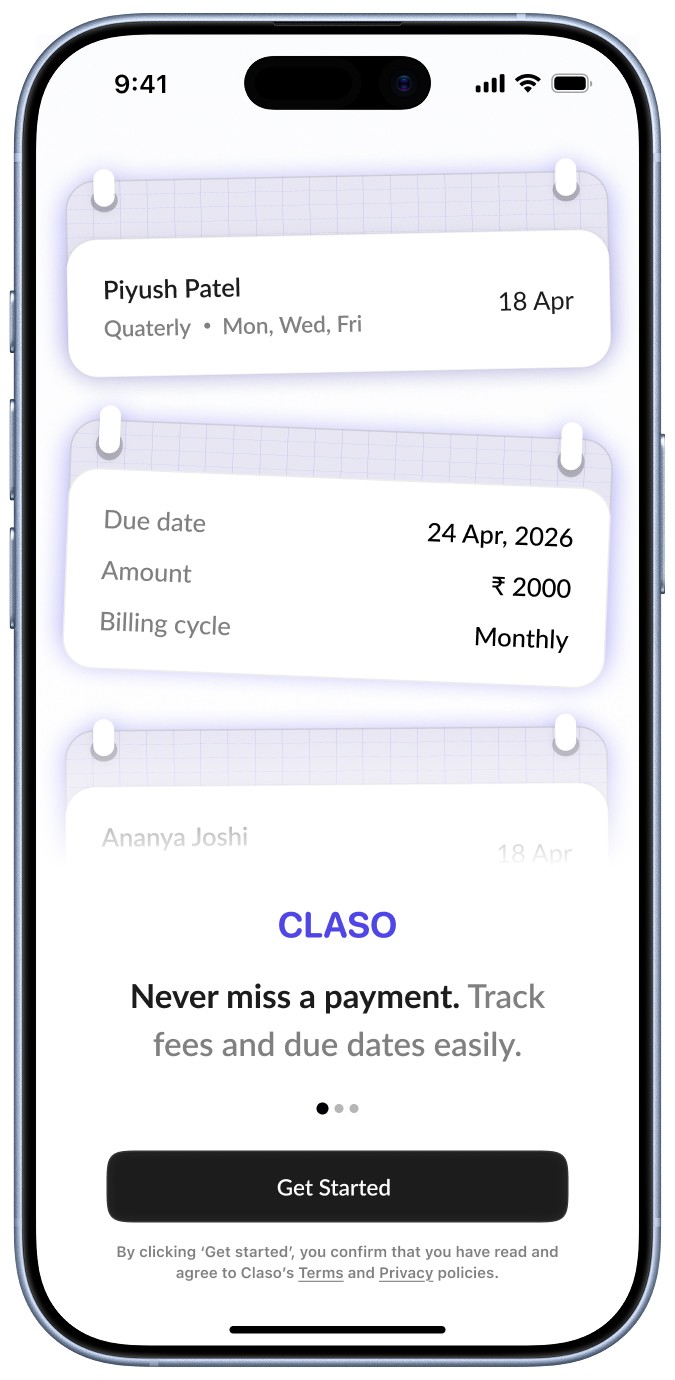
Claso is a class management system that helps educators track fees, attendance, and reminders without relying on memory.
Solo educators often manage 20–60 students across multiple batches using registers, bill books, and WhatsApp. As student count grows, this fragmented system becomes difficult to manage, leading to missed reminders and delayed payments.
Claso replaces manual tracking with a simple, reliable workflow designed for real classroom conditions.
Timeline
2 weeks
Role
Product Design
Scope
End-to-end UX, from research to final UI
Impact
Reduced manual tracking and improved payment visibility
Jump to Prototype
The problem
Most solo teachers in India manage an entire academy independently, be it music, yoga, art or any other class. Managing a small batch-based class involves constant tracking of students:
Who has paid fees
Who hasn’t
When the next payment is due
Who attended which class and for how much time and hours
This whole process is mostly done manually through keeping and maintaining registers and bill books. This creates repetitive effort. mental overload and high dependency on memory.
The problem isn’t lack of tools as teachers are already managing their class with this system of manual tracking throughout the years. And they start having problems with more workload and memory dependency when the class strength increases and 50-60 students get tougher to manage and remember.
There are existing tools that exist but they are too complex and don’t match how teachers actually work.
User Quotes
“If I forget to write down someone’s receipt when I’m busy, then I won’t remember when to remind them next month.”
Goals
The goal was to make the system feel as simple as using a register, but more reliable as the target users won't use complex systems. The product prioritizes:
Quick actions during class
Automatic tracking and reminders
Clear visibility of payment status
User Research
4 solo teachers were interviewed in domains such as music, yoga, coaching who have a mix of offline + online classes
Current workflow of teachers
From interviews and observations, the current system looks like this:
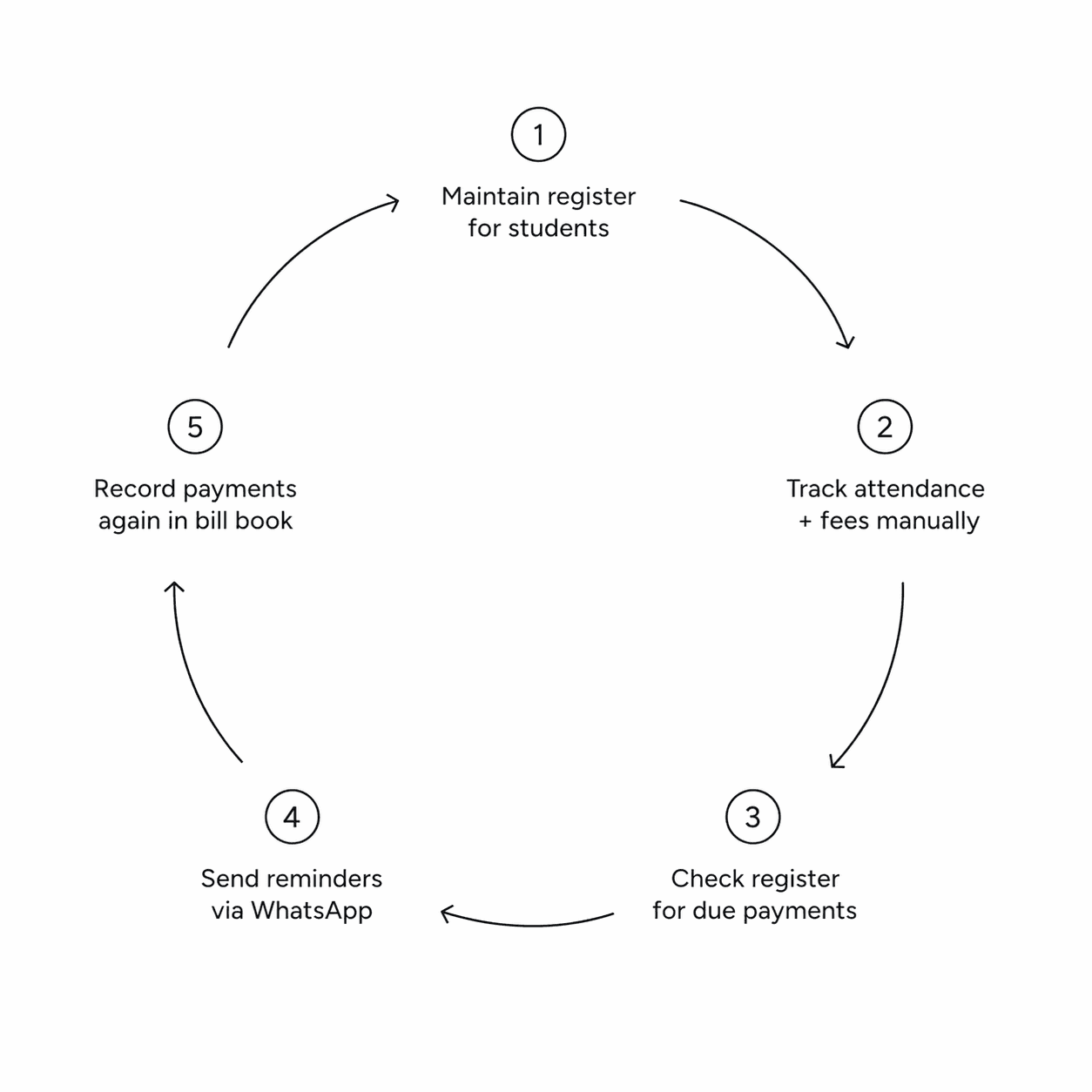
This leads to a system that is:
fragmented
time-consuming
error-prone
memory dependent
Most importantly, it requires constant manual checking and mental stress.
User Quotes
“I keep checking the register time to time to see whose payment is upcoming.”
Key Insight
After analyzing user interviews, recurring patterns emerged around how teachers currently manage students, payments, and reminders.
Fee tracking requires repeatedly checking registers, which is time-consuming and inconsistent
Teachers often forget to record payments during class, leading to missed reminders and delayed fees
Payment cycles vary across students, making manual tracking unreliable
Teachers compensate for lack of tools by relying on memory, which becomes unreliable as the number of students grows.
When classes are running, teachers often skip marking attendance in the moment and rely on remembering it later.
Students may attend extra sessions outside their usual batch, making rigid attendance systems ineffective.
Simplicity and speed are critical, complex tools are unlikely to be adopted
“Students don’t come themselves to say their fees is left for payment.”
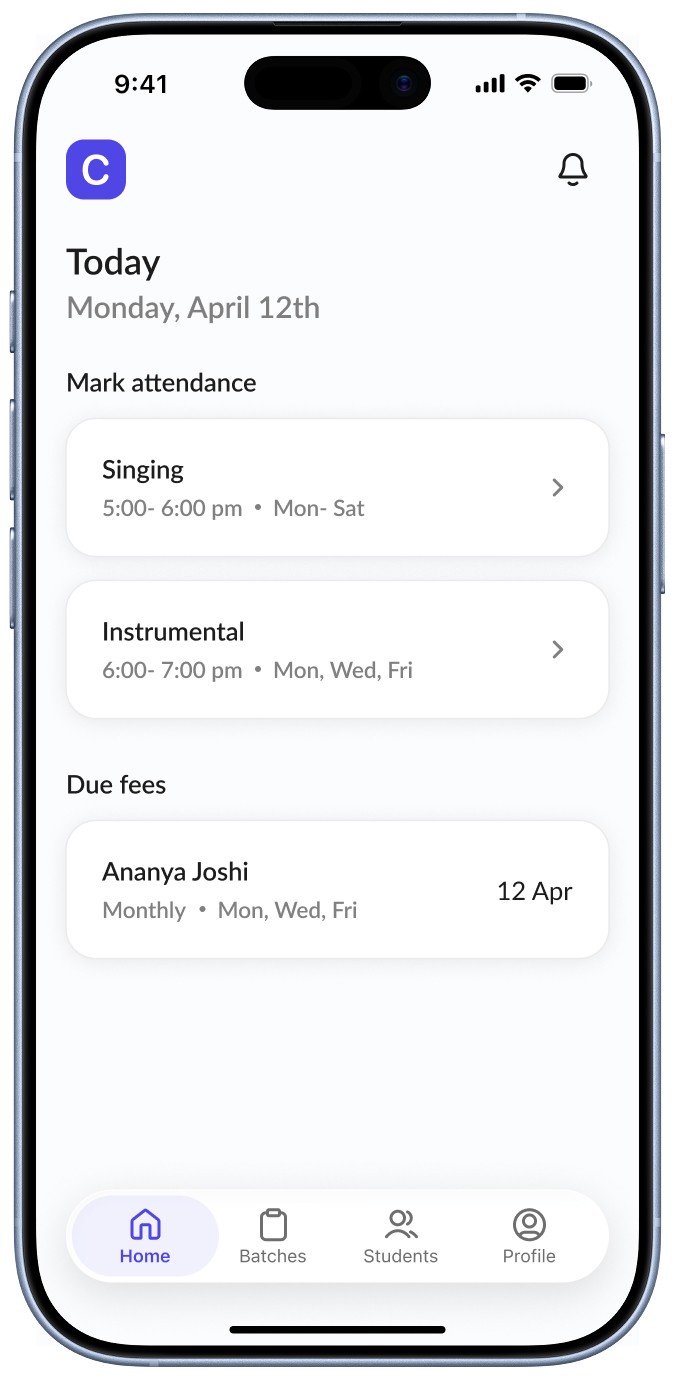
1. Clear, action-first overview
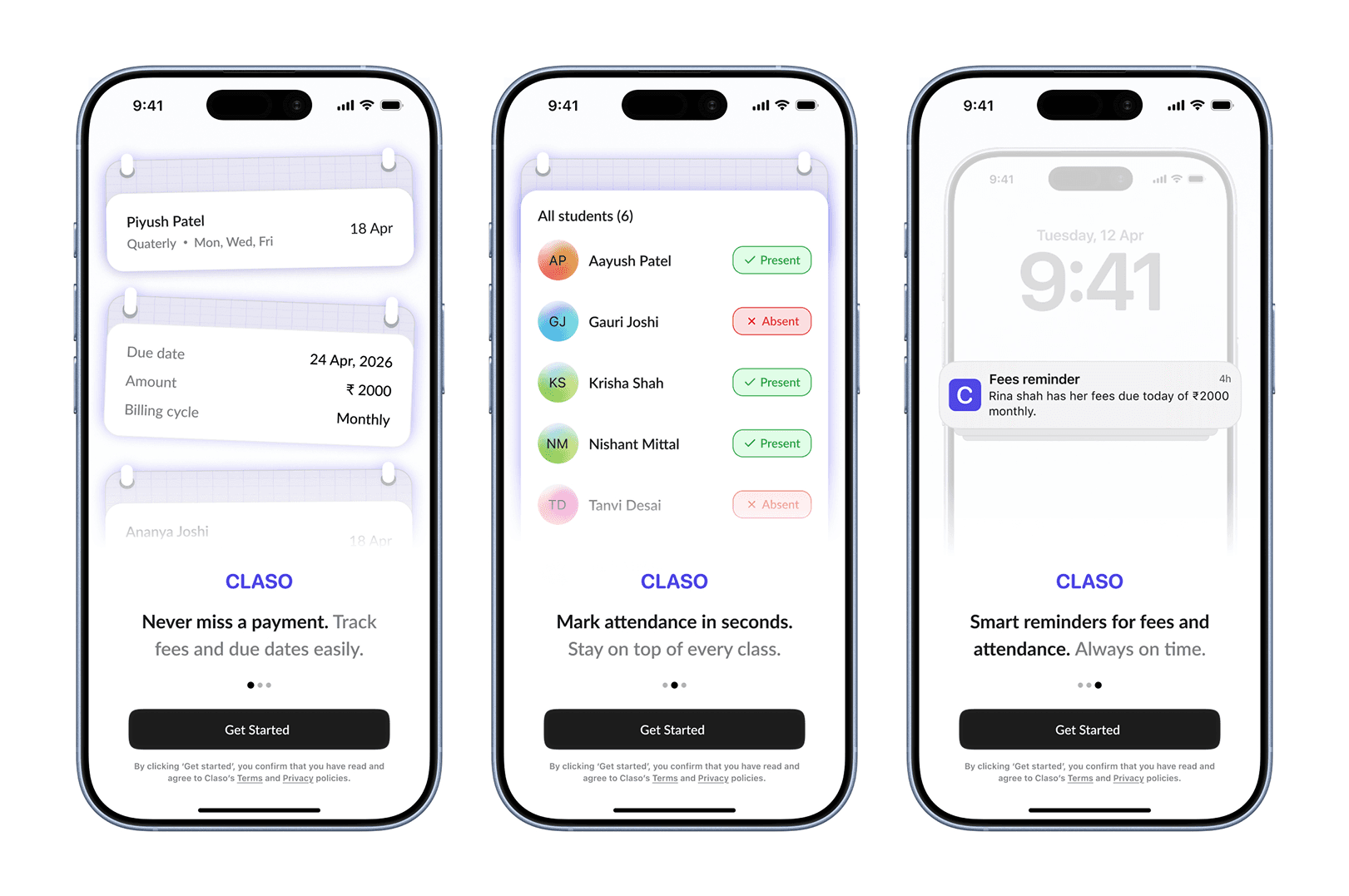
The home screen is designed to surface the most time-sensitive actions, marking attendance and tracking due fees, instead of acting as a traditional dashboard with multiple entry points.
Teachers often open the app during or between classes, where speed is critical. Surfacing these actions upfront reduces navigation and helps users quickly understand what requires attention.
This approach shifts the home screen from being informational to immediately actionable, aligning with the fast-paced nature of classroom environments.
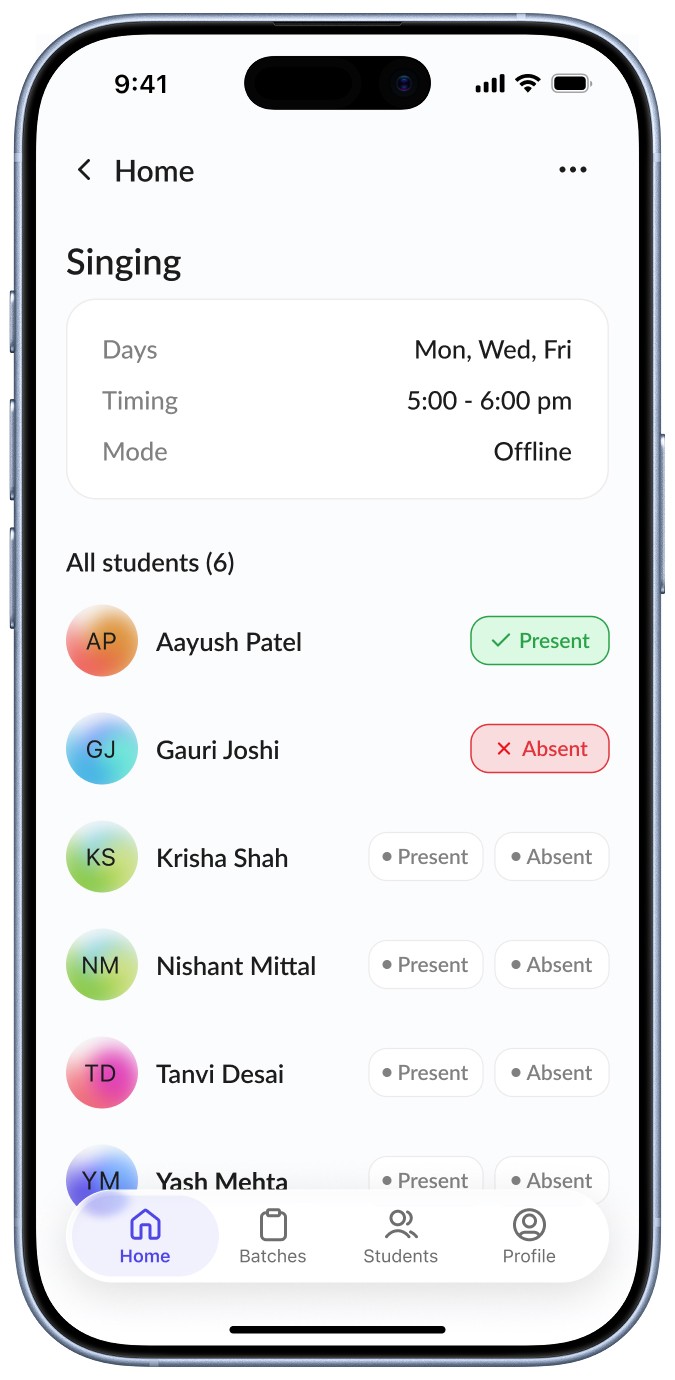
2. Attendance Flow designed to feel as fast as a register
Marking attendance is a high-frequency action that typically happens during an ongoing class or immediately after a class. Teachers need to complete this quickly without breaking their flow.
Instead of using forms, dropdowns, or confirmation steps, attendance is designed as a simple tap interaction. Each student starts in an unmarked state, and selecting “Present” or “Absent” instantly updates the state with clear visual feedback.
This reduces the interaction to a single decision per student, making the experience feel as quick and lightweight as marking attendance in a physical register.
The goal was not to introduce a new system, but to match or outperform an existing one. From interviews, it became clear that:
Teachers are not inclined toward complex tools
Even small friction can lead to abandonment
Speed is more important than flexibility
By keeping the interaction minimal and state-driven:
No additional steps are required
No confirmation is needed
Users can move quickly across students
This ensures the product fits naturally into the classroom environment rather than interrupting it.
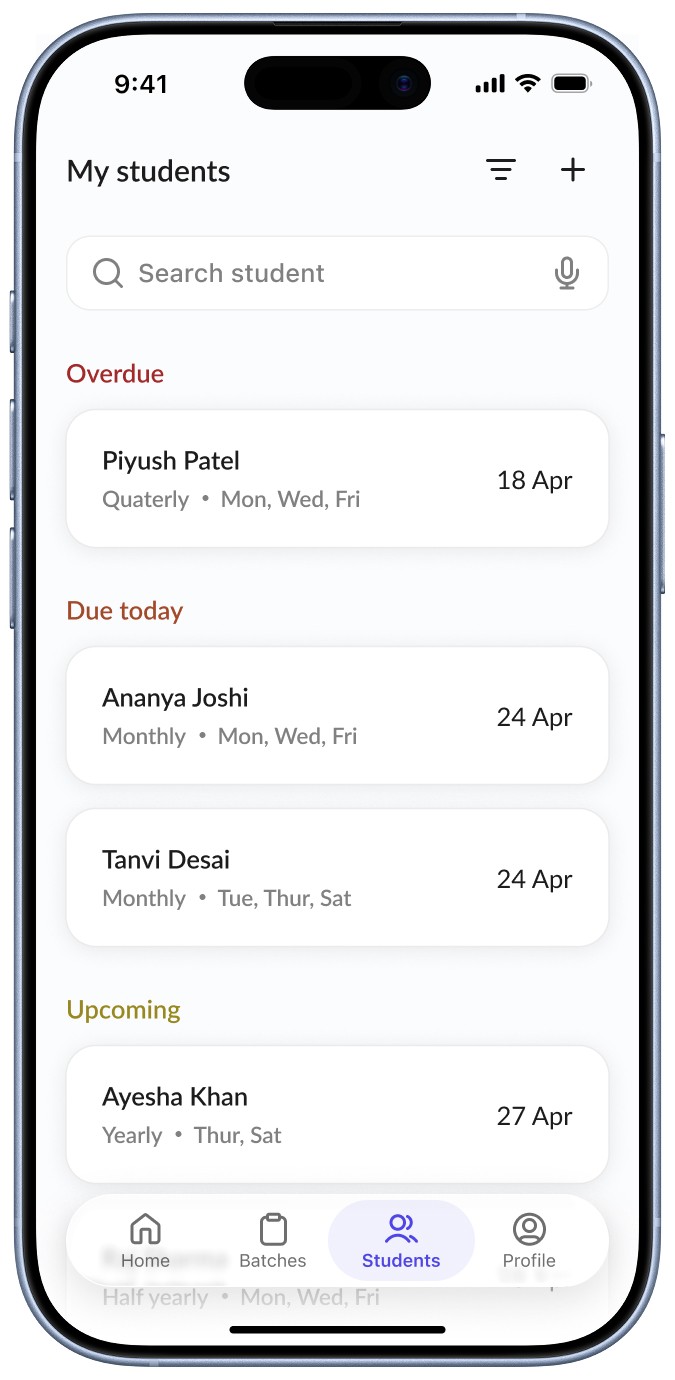
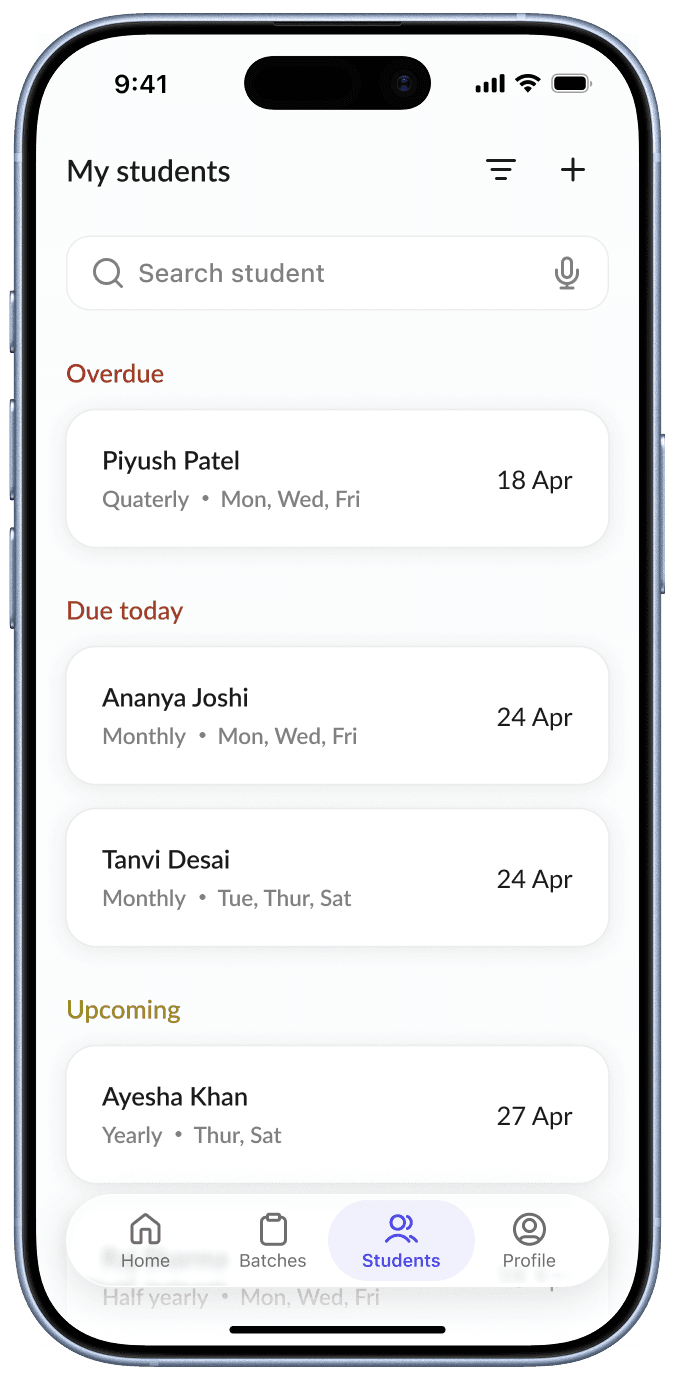
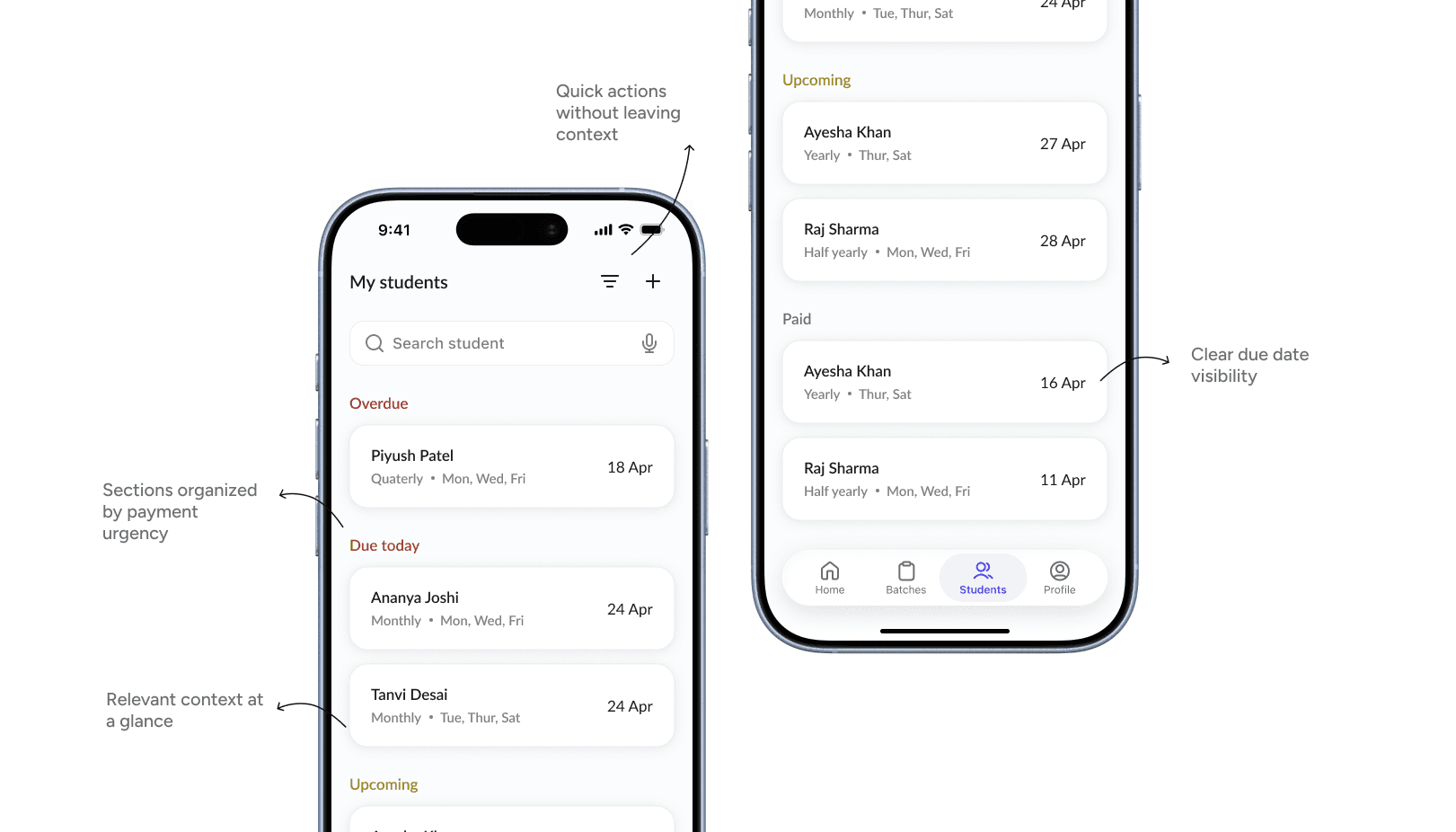
3. Student screen organized by payment urgency
Instead of treating fees as a separate system, this screen organizes information around students and their payment status, reflecting how teachers naturally think, in terms of which student has paid, who is due today, and who is overdue, rather than navigating a separate “fees” section.
Initially, fees were designed as a separate tab, but early testing revealed that users expected payment information within the student context, and switching between “Students” and “Fees” created confusion and unnecessary navigation.
This led to restructuring the experience by integrating fees directly into the student list and grouping students into states like Overdue, Due today, Upcoming, and Paid. As a result, users can quickly scan who needs attention, without mentally mapping between sections, making actions faster and more intuitive.
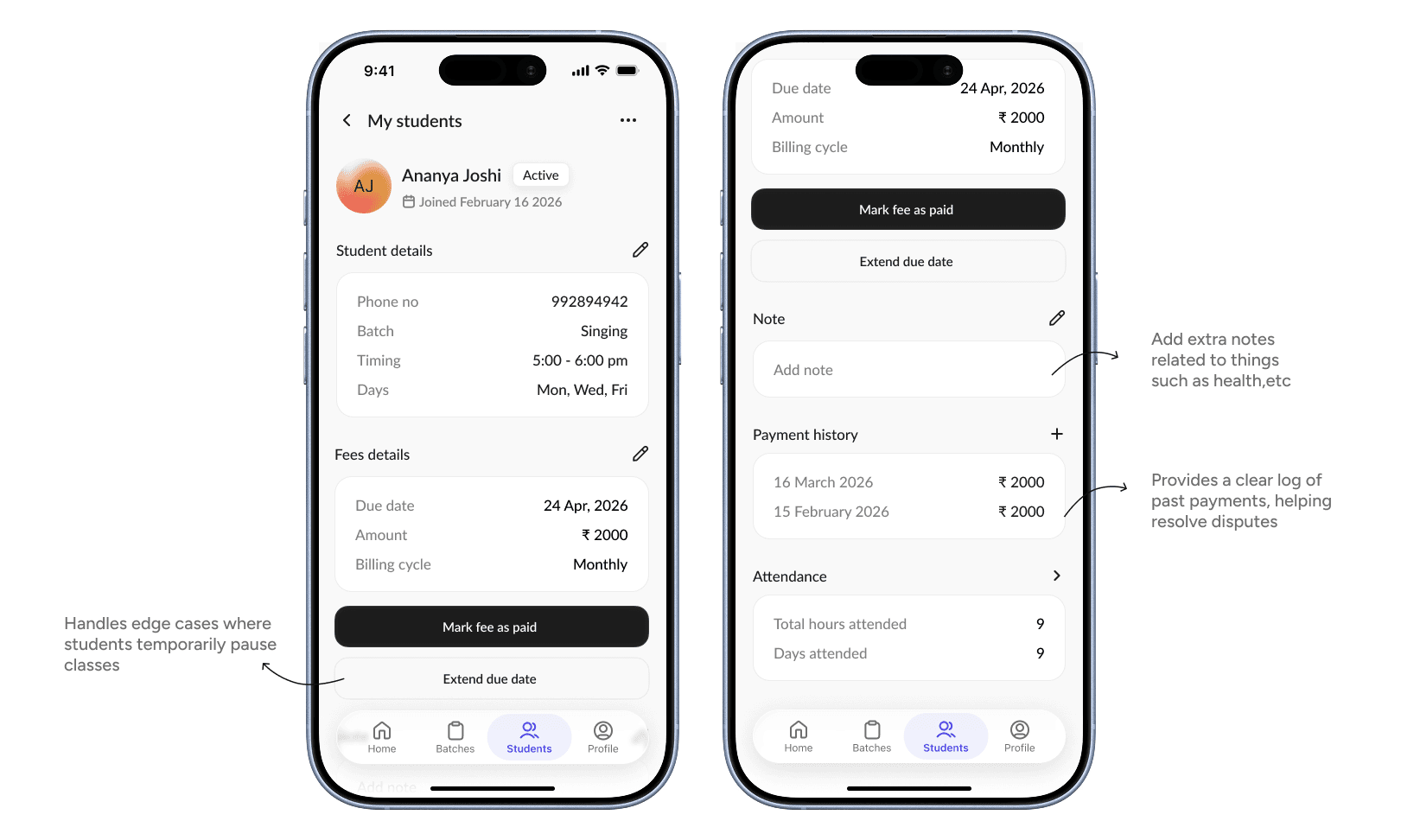
Student detail screen
The student detail screen brings together all relevant information, including personal details, batch schedule, fees, and attendance, into a single view.
Instead of navigating across different sections, teachers can quickly understand a student’s status and take immediate action. Key actions like “Mark fee as paid” and “Extend due date” are placed prominently to support common workflows, including edge cases where students may pause classes temporarily, such as during exams
.
Payment history is also included to handle situations where teachers need to verify past transactions, reducing reliance on memory or external records. Additionally, student status (active/inactive) and editable details ensure the system remains flexible and up to date as student situations change.
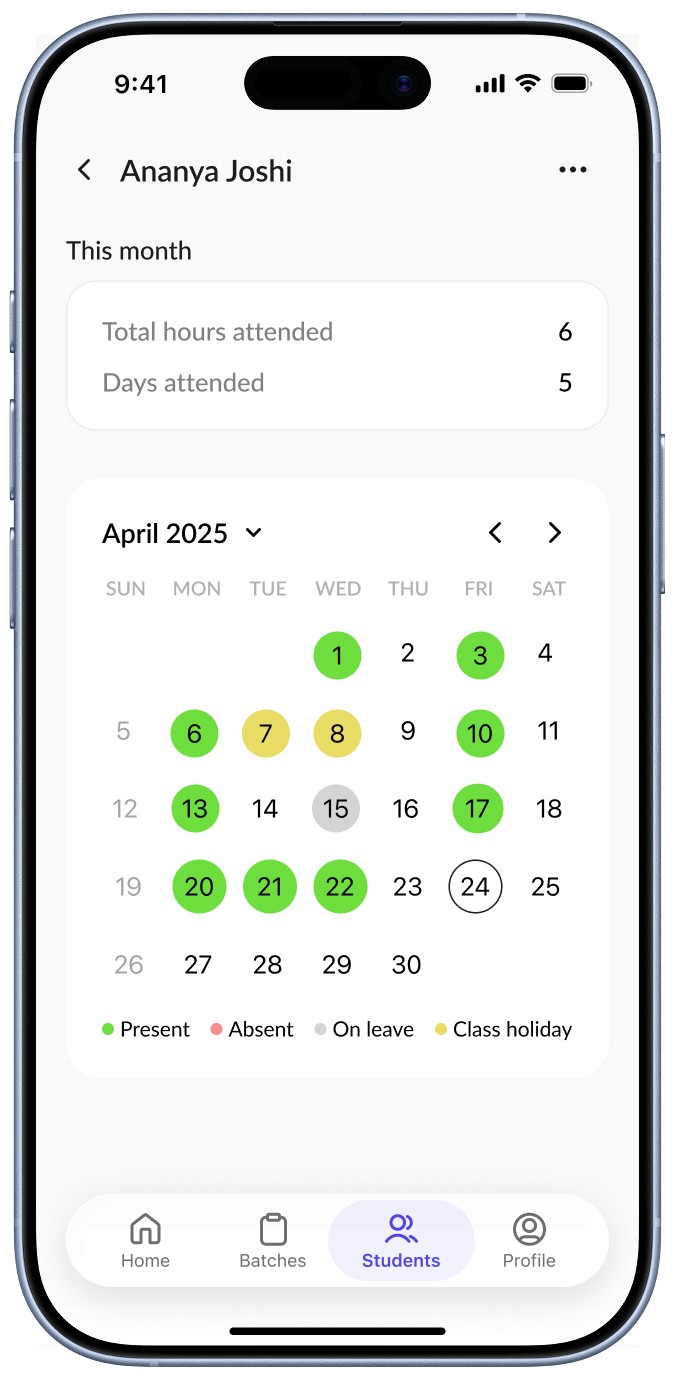
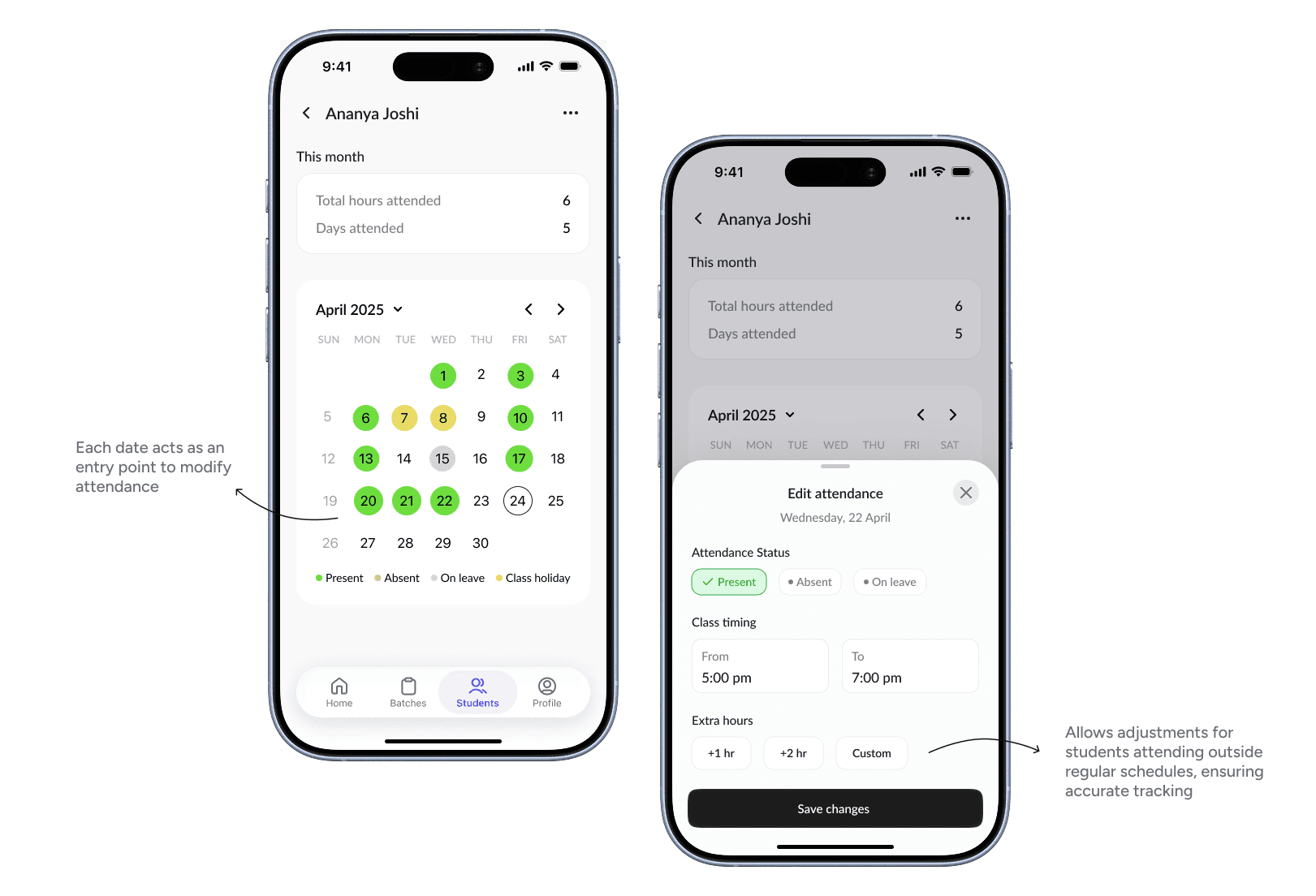
Handling edge cases with flexible attendance tracking
While most attendance follows a fixed batch schedule, real-world scenarios often vary. Students may attend extra sessions, come at different times, or require adjustments on specific days.
To support this, a calendar-based view allows teachers to quickly understand attendance patterns at a glance. Selecting a date opens a bottom sheet where attendance can be edited, including status, class timing, and additional hours.
This ensures that the system remains flexible enough to handle exceptions without complicating the primary attendance flow.
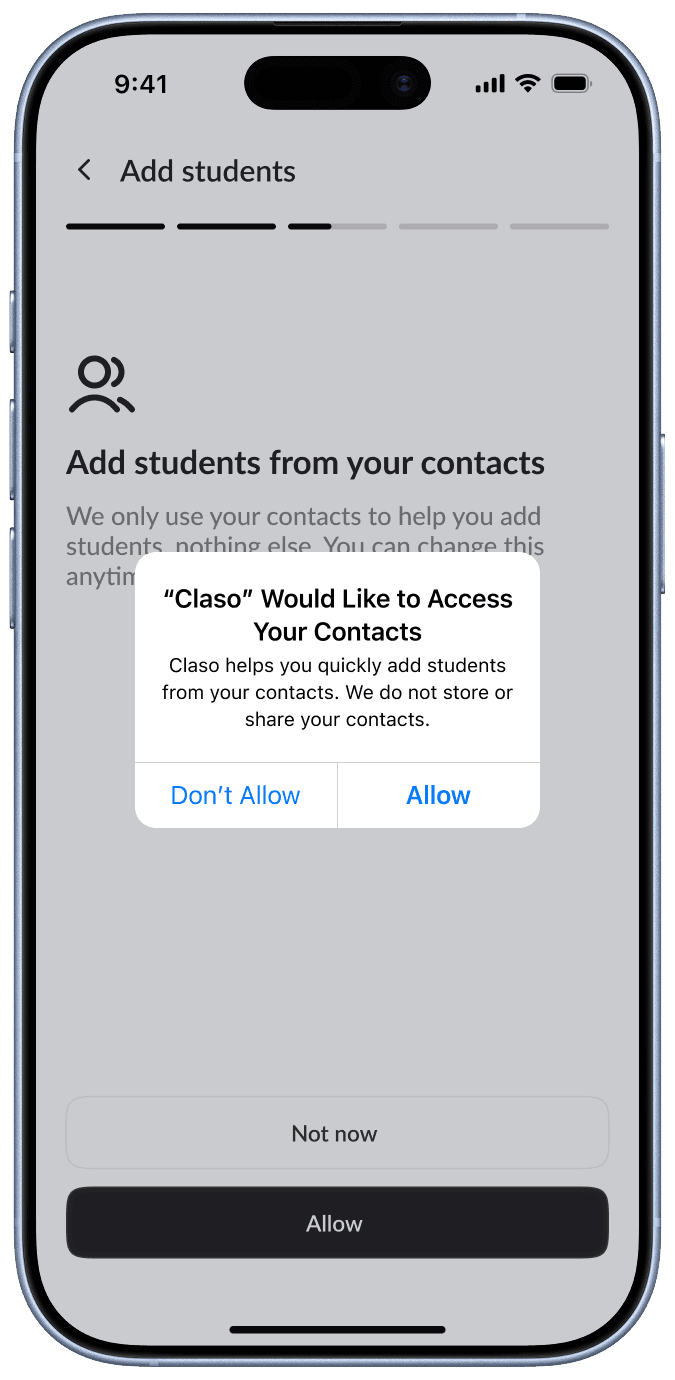
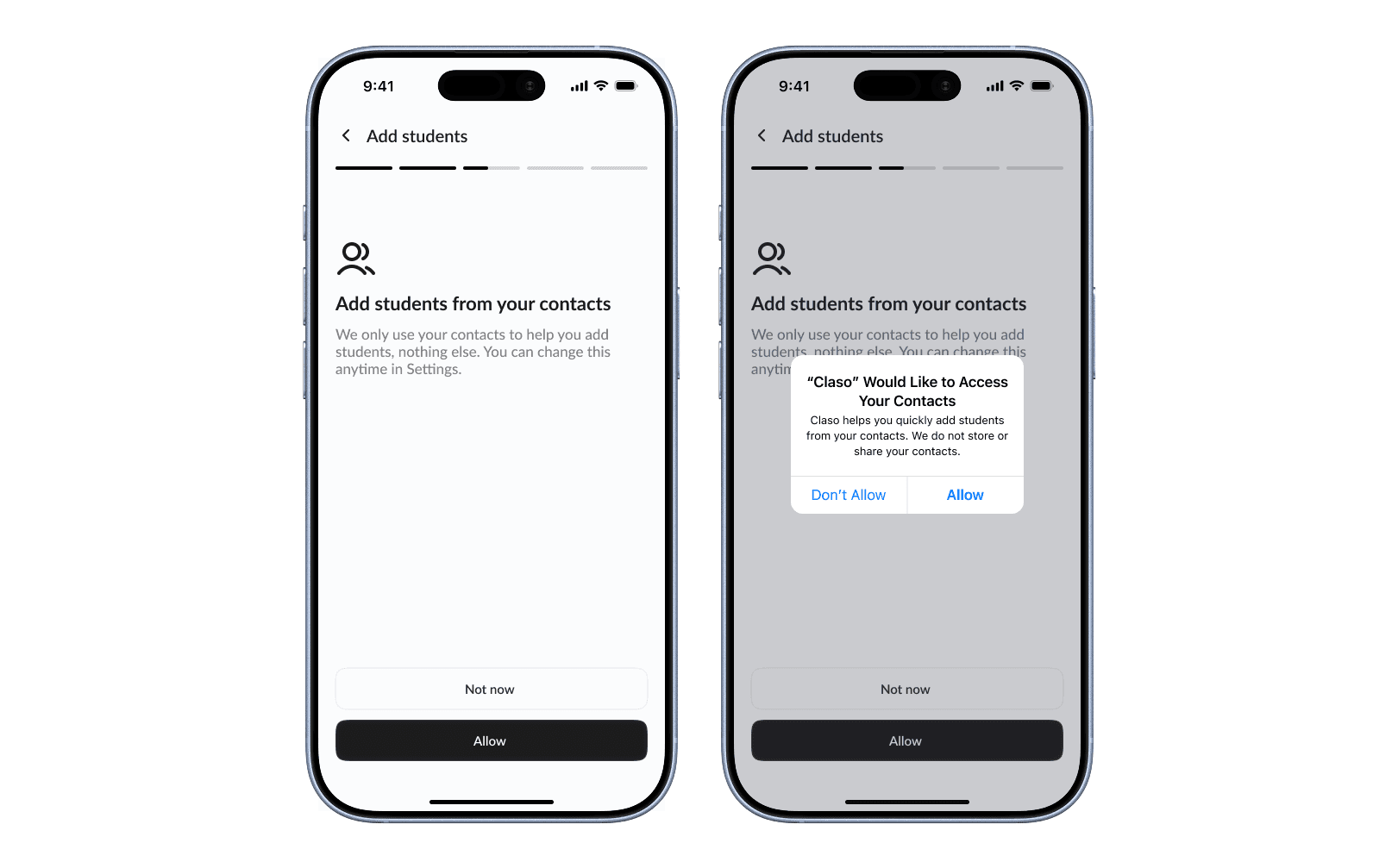
Onboarding designed to reduce drop-off and setup effort
Onboarding is designed to be as frictionless as possible, ensuring teachers can quickly get started without feeling overwhelmed.
Instead of requiring users to manually add student details, the flow prioritizes importing students directly from contacts. This reduces the effort needed during setup and ensures that basic information like names and phone numbers are instantly available.
Even if users choose to skip deeper setup (like assigning batches or fee structures), they still have a usable starting point, allowing them to continue setup gradually over time.
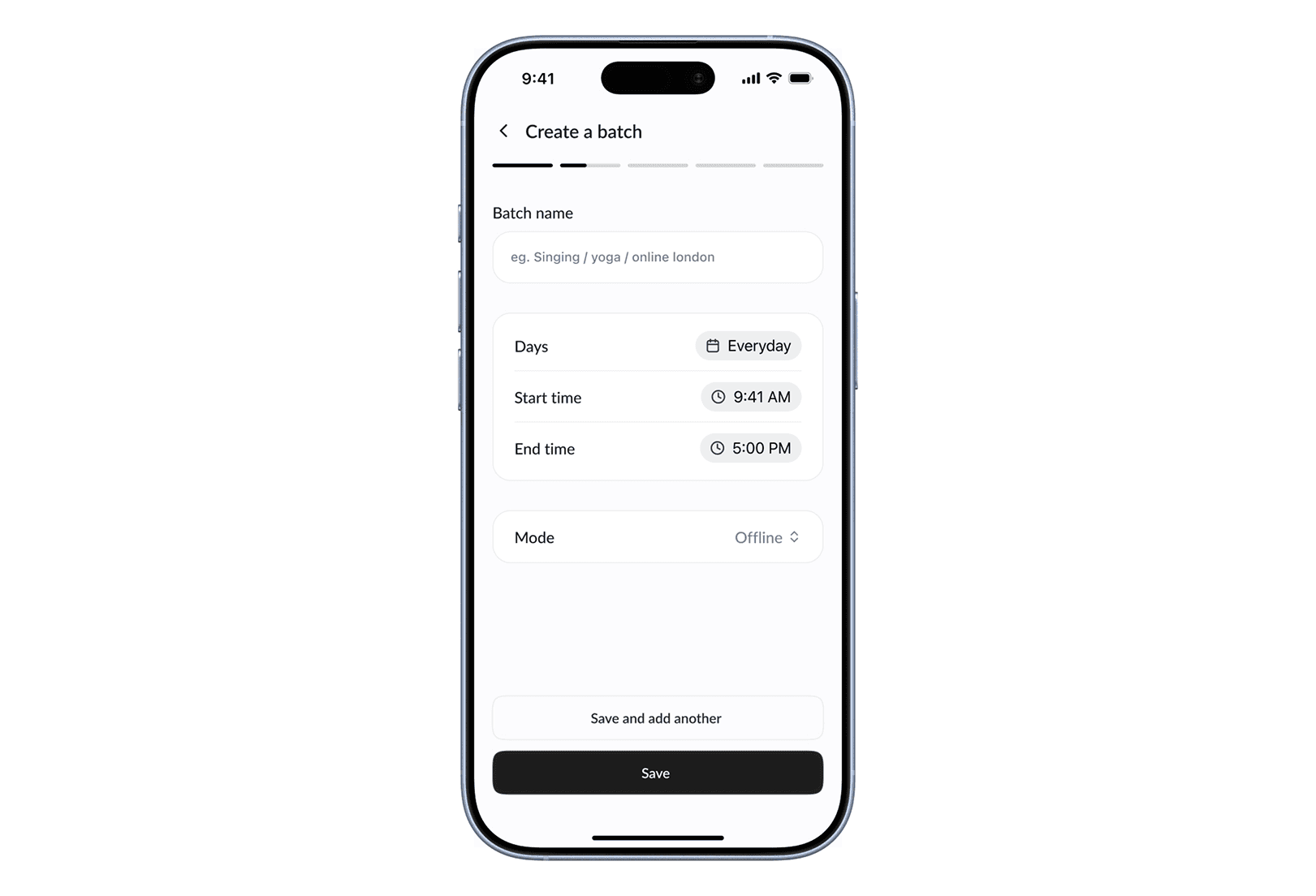
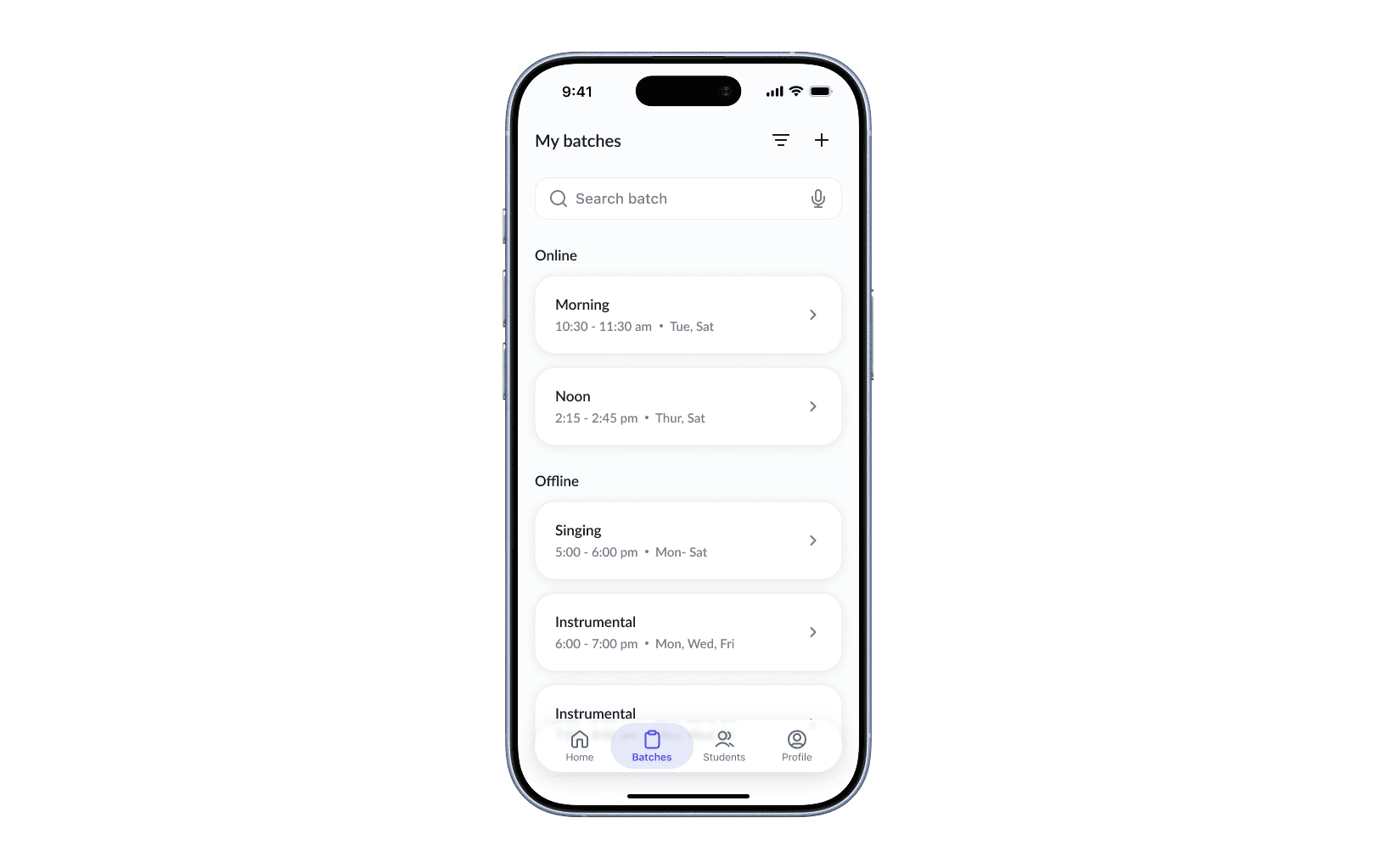
Creating a batch is designed to be quick and familiar, allowing teachers to define their class schedule without unnecessary complexity.
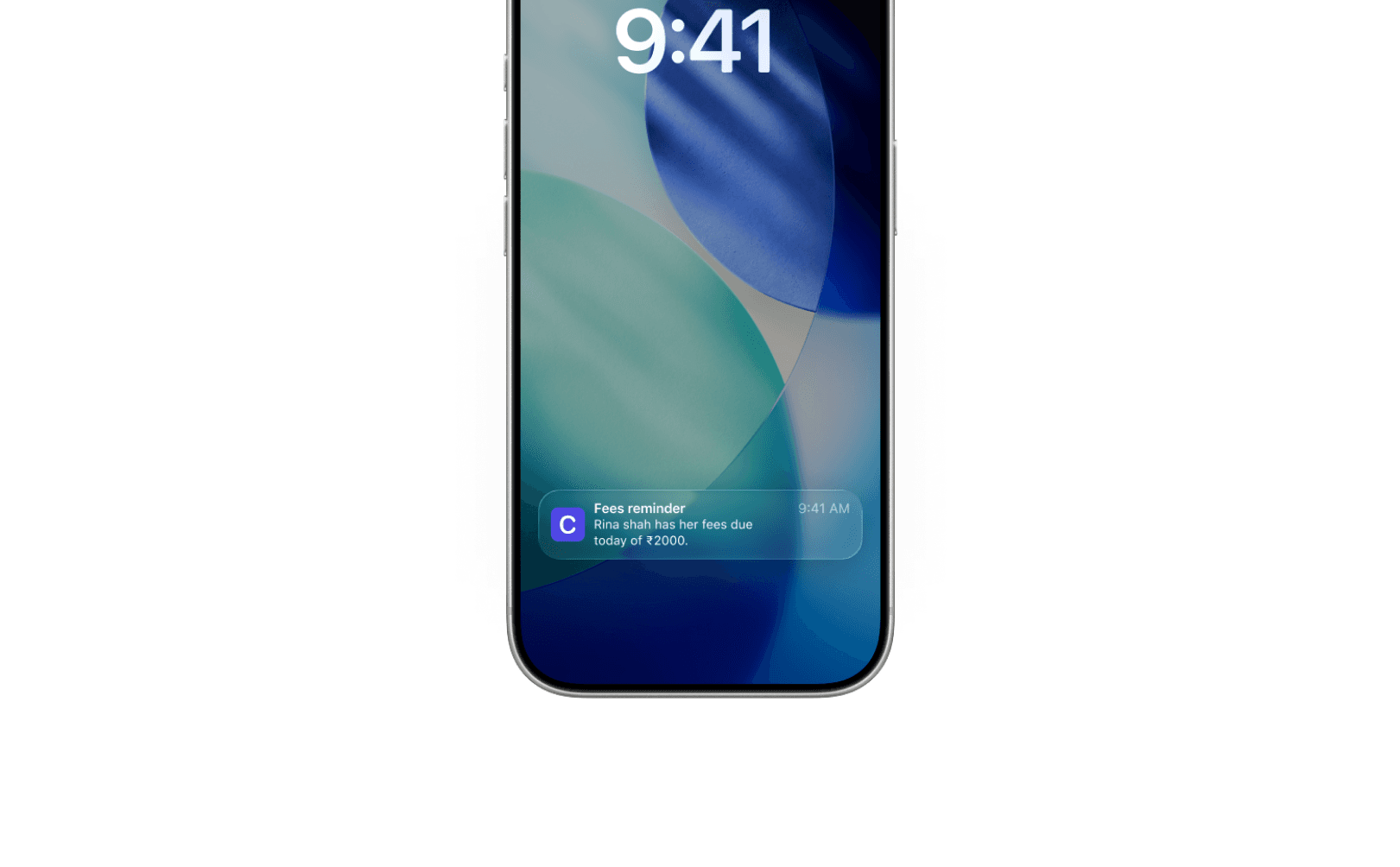
Smart reminders
Smart reminders help teachers stay on top of tasks without manually checking the app. Timely notifications for actions like marking attendance or collecting fees ensure nothing is missed during a busy day.

Other screens
Prototype
Impact
Claso replaces fragmented systems like registers, WhatsApp, and memory with a single, structured workflow, making it easier for teachers to manage classes without changing their existing habits.
Reduces admin time, attendance and fees managed in seconds
Improves fee collection through timely reminders
Reduces dependency on memory with clear visibility
Lowers cognitive load with simple, structured tracking
Increases retention through a low-effort experience
Future scope
The next step is to take Claso beyond design and build it as a functional product.
develop an MVP using no-code / AI-assisted tools (e.g., Claude)
test it with real teachers to validate usability and adoption
publish it on the App Store as a lightweight, accessible tool
This will help validate both product-market fit and real-world impact.